UNITS / UNIT 03 / KMKM
PHONE WEBCAM FOR WINDOWS
A phone camera that behaves like a good USB webcam.
IN DEVELOPMENT · ALPHA SOON
03.
OVERVIEW
CASE FILE KMKM
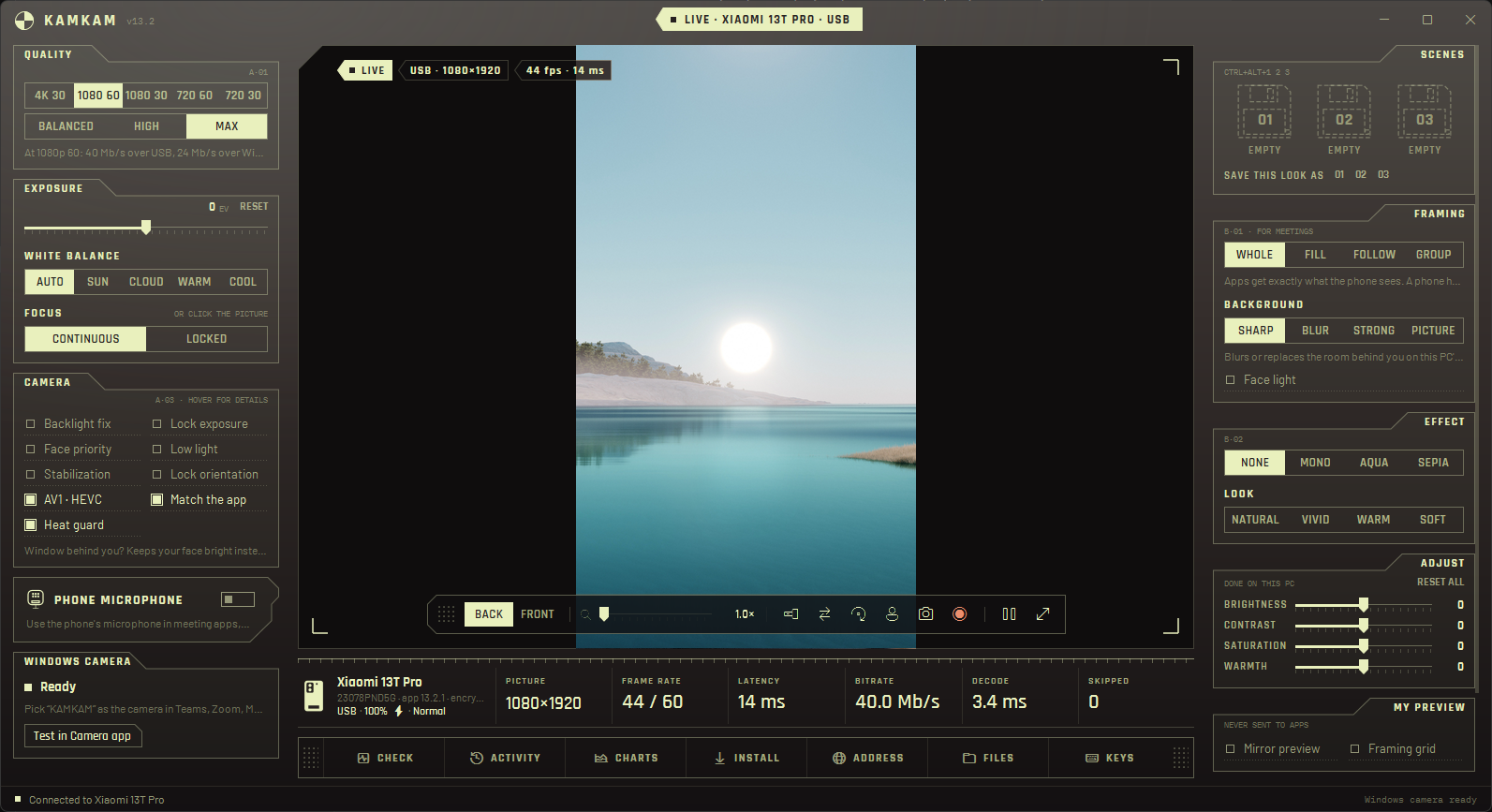
KAMKAM turns an Android phone into a Windows webcam. Teams, Zoom, Meet, OBS and the Windows Camera app see it as a normal camera called KAMKAM.
The goal is a phone camera that behaves like a good USB webcam: 1080p at 60 fps, latency you don't notice, and no setup beyond opening two apps. The phone encodes in hardware, the PC decodes on the GPU, and every app on Windows gets the picture.
- TYPE
- Virtual webcam: an Android phone app and a Windows app
- PLATFORM
- Windows x64 and ARM64 · Android 9 and later
- LANGUAGE
- C#, C++ and Kotlin
- STACK
- .NET 10 · WPF · Media Foundation virtual camera · Direct3D 11 · ONNX Runtime with DirectML · Camera2 · MediaCodec
- LINK
- USB, USB tethering, Wi-Fi or Bluetooth · ECDH key exchange, AES-256-GCM
- SIZE
- ≈17,500 lines of C#, C++ and Kotlin
- STATUS
- In development · Alpha soon
WHAT IT DOES
10 ENTRIES
01
Any route
Tries USB first, then USB tethering, Wi-Fi and Bluetooth. If a better route appears while streaming, it switches without dropping the call.
02
Meeting framing
Crops to a full 16:9 picture, follows your face as you move, or keeps a group of up to three people in the shot.
03
4K capture
At 4K 30, framing and zoom crop from a 4K picture, so the 1080p result stays sharp.
04
Background
A person-matting model runs on the PC's graphics card and blurs the room behind you or puts a picture there. Every app gets it.
05
Light
Backlight fix exposes for your face instead of the whole room. Face light adds a soft light on a dim face.
06
Phone microphone
Echo-cancelled, noise-suppressed Opus audio over the same encrypted link, held in lip sync with the picture.
07Ctrl+Alt+1 / 2 / 3
Scenes
Three slots each keep a whole look: quality, lens, zoom, framing, background, light and adjustments.
08
A second camera
Windows also gets KAMKAM 2: another lens of the same phone at the same time, or a second phone.
09
Heat guard
When the phone gets hot, KAMKAM steps down from 4K and 60 fps until it has cooled, so the camera keeps running through the call.
10
Control from the PC
Lens, zoom, focus, exposure, stabilization, low light and flashlight, plus brightness, contrast, saturation and warmth. Snapshots and MP4 recording.
HOW IT'S BUILT
FROM LENS TO MEETING APP
Each stage runs where it is cheapest: encoding on the phone's hardware, decoding and the background model on the PC's graphics card.
- 01PhoneCamera2 capture, AV1, HEVC or H.264 encode
- 02LinkUSB, tethering, Wi-Fi or Bluetooth, encrypted
- 03PCGPU decode, framing, background, light
- 04Virtual cameraKAMKAM and KAMKAM 2 for every app
| PART | BUILT WITH |
|---|---|
| Phone app | Kotlin · Camera2 · MediaCodec |
| Windows app | C# · .NET 10 · WPF |
| Decoder and virtual camera | C++ · Media Foundation · Direct3D 11 |
| Background | Robust Video Matting · ONNX Runtime · DirectML |
| Pairing | A six-digit code on both screens, computed from the connection's keys |
| Updates | Signed updates from a Cloudflare Worker, installed when the camera is free |